
Software for your repair shop.
For free!
Intake and work orders with your industry’s fields, customers and their devices, a service price list and email notifications to the customer. No limit on work orders.
- Account ready in 10 minutes
- No credit card
- 30 days of Pro free
- Customer
- Maple Hotel
- Device
- TechOne Model A10
- IMEI
- 353918104774021
- Promised due date
- 2026-09-28 12:59
Timeline
- Received
- Diagnosis
- In repair
- Ready for pickup
Fix-Fon: Your TechOne Model A10 (work order 26/00022) is ready for pickup. Amount due $639.99. Status: fix-fon.serwisos.pl/status/7Kq2
Problem
Sound familiar? A notebook for intake, scraps of paper for estimates, a phone call every hour asking “is it ready?”.
Five situations that eat up the most time in a repair shop, and how they look in the admin panel.
-
Today: A notebook and slips of paper, device history scattered around a drawer.
With SerwisOS: Intake with your industry’s fields. Every customer device has its repair history on its card.
-
Today: 20 calls a day asking “is it ready?”.
With SerwisOS: An email when the work order stage changes. The customer checks the status through a link, no login.
-
Today: Everyone on the team prices the same repair differently.
With SerwisOS: A service catalog with prices. You pick work order line items from the price list and the total calculates itself.
-
Today: The customer pays at the counter while a line builds up.
With SerwisOS: An online payment link through your own Stripe account.
-
Today: Setting up the software takes weeks.
With SerwisOS: A repair shop on its own subdomain ready in 10 minutes, with your industry’s device types and services.
Industries, one system
Your workshop has its own fields. We know them.
When you create your repair shop, you choose an industry. The system immediately has ready-made device fields, services with prices, order types and an equipment list for the intake report.
- 01Bicycle repair shop
- 02Phone repair shop
- 03Computer and console repair shop
- 04Appliance and electronics repair shop
- 05Tire shop
- 06Motorcycle repair shop
- 07Garden equipment and power tool repair shop
- 08E-scooter and e-mobility repair shop
- 09Watchmaker and jeweler
- 10Light auto repair shop and detailing
- 11Other industry

Bicycle repair shop
Intake report with frame number, work orders with statuses and email notifications to the customer.

Phone repair shop
Intake with IMEI and device passcode, part quality grade, email statuses and privacy consent on the intake card.

Computer and console repair shop
Intake card with hardware configuration, customer statuses, data recovery and shipment details.

Appliance and electronics repair shop
Intake report, repairs in the shop and at the customer’s home, manufacturer billing, expert assessments and customer statuses.

Tire shop
Report with the condition of each wheel including DOT and tread, email when the order is ready and a register of uncollected items.

Motorcycle repair shop
Intake report with mileage and engine hours, pre-season service, winter storage and email statuses to the customer.

Garden equipment and power tool repair shop
Intake with device details, warranty repairs, pre-season service and email statuses.

E-scooter and e-mobility repair shop
Intake with battery number, diagnostics, fleets billed per operator and email statuses.

Watchmaker and jeweler
Report with declared value, weight and hallmark, batteries while you wait and customer statuses.

Light auto repair shop and detailing
Intake report with mileage and fuel level, estimate, photos and email statuses.
Other industry
Your own device types and fields, price list, checklists and customer statuses. Drones, instruments, photo gear, shoe repair, printers.
See industryIndustry 01 / 11
Features
What works from day one
You turn on the modules you use. The rest do not show up in the menu. Modules with the “In preparation” badge do not work yet.
-
Work orders and intake report
The device, the problem in the customer’s own words, an equipment report and repair stages following your industry’s process. Every stage change is saved on the timeline: who and when.
-
Online payments
A payment link for the work order through your own Stripe account. The money goes straight to the repair shop’s account. We take no commission.
-
Customers and device history
A customer record, their devices with industry fields and all repairs.
-
Service price list
Your industry’s services with starter prices. You pick work order line items from the price list.
-
Status through a link
The customer checks the repair stage on their phone, with no login.
-
Email and text messages In preparation
“Device ready” with your repair shop’s name. Email works today; text messages are coming soon in your country.
-
Estimates with approval
The customer gets the estimate as a link and approves or declines it on their phone. We record the content, IP address and time of the decision.
-
Parts inventory
Stock levels, deliveries, purchase orders from shortages and stocktaking on a tablet. A part added to a work order is set aside for it right away.
-
Invoices
An invoice from the work order in one click: your country’s tax broken down by rate, your tax number, PDF and email. Corrections as credit notes.
-
Reports
Revenue, work order margin to the cent and technician summary for any period, with CSV export.
-
Schedule
Opening hours, days off and daily capacity: see the week’s workload, drop-offs and pickups.
-
Online booking
Customers pick a free time on your shop’s page, confirm it with a link from an email and get a reminder. No overbooking.
-
Tire and bike storage
Tires, wheels and bikes in shelf slots, a storage receipt with QR labels, the fee on the work order and an e-mail before the period ends.
This is what SerwisOS looks like day to day
No mockups: these are screenshots from the working system — a demo repair shop with fictional data. The color and logo of the admin panel are your repair shop’s color and logo.
Intake in a minute
A customer from the database by phone or last name, their device in one click, the problem in the customer’s own words and an equipment report with a checklist for your industry.

All repairs in one list
Stage, due date promised to the customer, priority and assignee. Filters by stage and technician — you see at once what is waiting for parts and what is ready for pickup.

Work order card
Line items with prices, messages sent to the customer and a timeline of every stage change — who and when. A payment link for the customer right from the work order.

What your customer sees
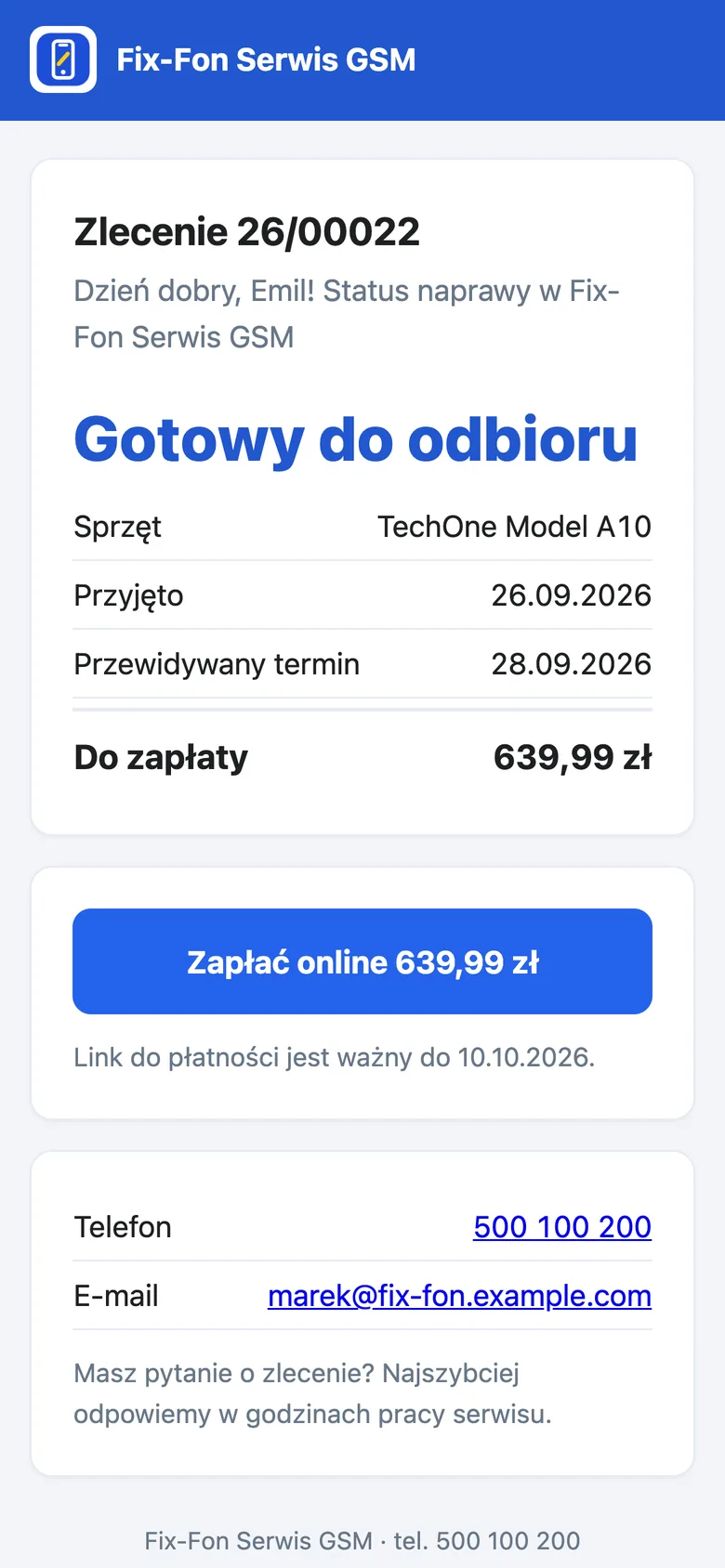
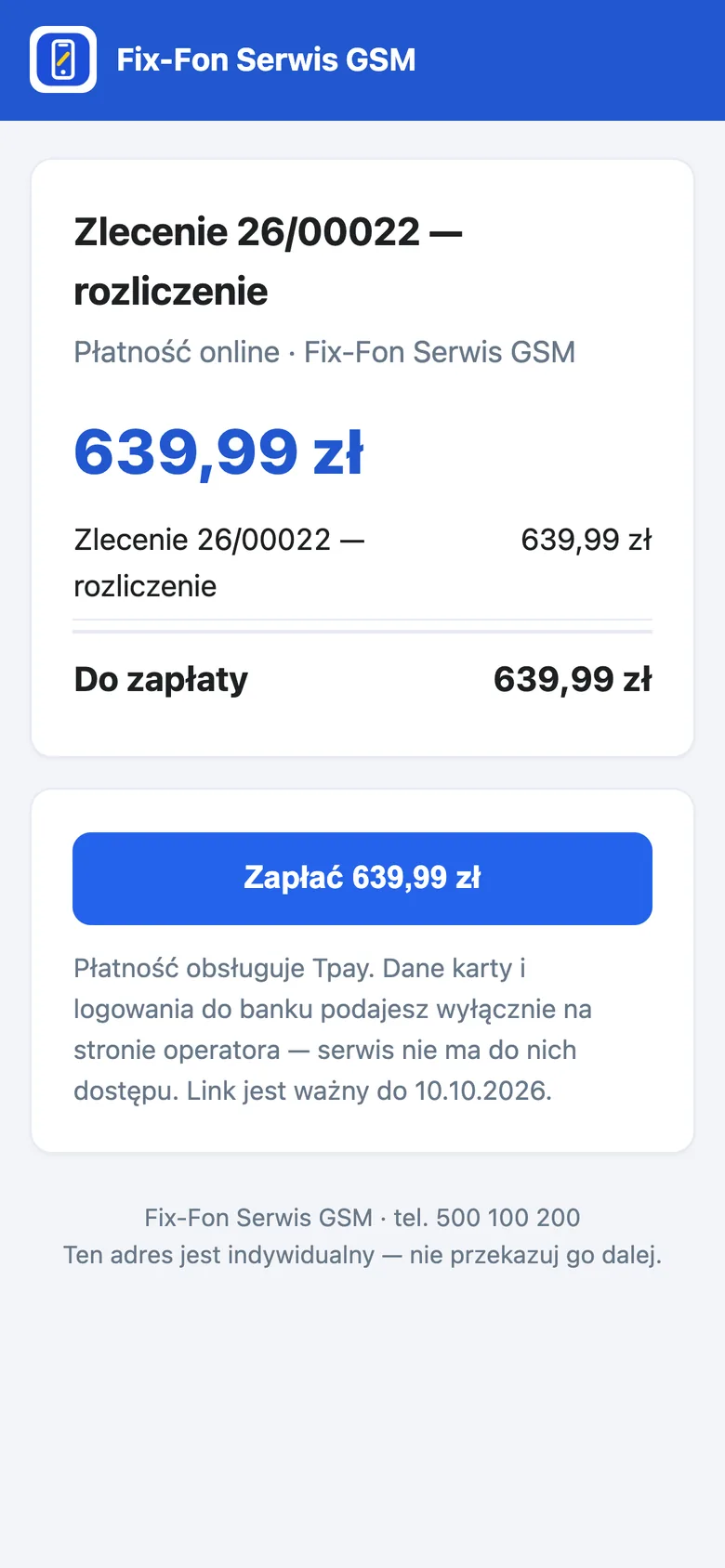
Repair status through a link from an email, with no login and no “is it ready?” phone call. The customer can also pay online from this page.
Price
Free. No limit on work orders.
There is no work order threshold after which you start paying. No cap of 10 or 30 orders, no ads shown to your customers. Work orders, customers, the service price list, parts inventory and emails are free at 20 and at 2,000 work orders a month.
You only pay when you turn on a paid plan: online booking and storage, and soon text messages in your country too. Additional branches are added to your Pro plan subscription. Prices of all plans and add-ons are listed on the pricing page.
We take no commission on your repairs. Online payments from your customers go through your own Stripe account, so the money goes straight to you.
See plans and pricingSerwisOS
Monthly bill · repair shop with 500 work orders
- Work orders and intake$0.00
- Customers$0.00
- Data protection$0.00
- Customer devices$0.00
- Service price list$0.00
- Documents and warranties$0.00
- Online payments$0.00
- Email notifications$0.00
- Repair status and customer portal$0.00
- Estimates with online approval$0.00
- Parts inventory$0.00
- Invoices$0.00
- Schedule and capacity$0.00
- Reports$0.00
- Data import$0.00
- Waste (BDO)$0.00
- Electronic device intake$0.00
- Quick ticket$0.00
- Platform commission$0.00
Total / mo.$0.00
Optional: the Pro plan for $29 / mo. (net price)
Thank you. See you at the next work order.
Comparison
Why not a “typical repair shop program”?
| Feature | Typical repair shop software |  SerwisOS |
|---|---|---|
| Price | Grows with the number of work orders, add-ons paid separately | Work orders, customers and the price list for free, no limit on work orders |
| Payments from customers | The middleman’s gateway and its commission | Through your own Stripe account, no commission from us |
| Devices | A single “device description” field for everyone | Device types and fields for your industry: IMEI, frame number, DOT |
| Statuses | The same rigid statuses for every workshop | Work order stages following your industry’s process |
| Customer | Calls and asks if it is ready | Gets an email and checks the status through a link |
| Getting started | Onboarding with a salesperson and training | A repair shop on its own subdomain in 10 minutes, no credit card |
In preparation
What we are working on now
These features do not work yet.
-
Modules in preparation:
- SMS notifications
Security
Your customers’ data is kept separate from other repair shops
Your repair shop has its own isolated data space. Sensitive keys are encrypted. You handle customer consents and data anonymization in the admin panel. You accept the data processing agreement when creating your account.
Read more about security-
Isolated data
Your repair shop has its own data space. Another shop will not see your customers, not even by mistake.
-
Encrypted secrets
Integration keys and other sensitive data are encrypted with a key kept outside the database.
-
GDPR in the admin panel
Customer consents with dates, data retention periods and customer anonymization on request.
-
Data processing agreement
You accept it once, when creating your repair shop. We record the date and document version.
How it works
From a paper notebook to a working repair shop in 10 minutes
The setup wizard walks you through eight steps. Each one can be changed later in your shop settings.
-
Step 1:Repair shop and industry
Name, city and industry. The system picks device types, services with prices and modules.
-
Step 2:Repair shop address
Your address on the web, e.g. yourshop — we check availability live.
twojserwis
.serwisos.pl -
Step 3:Modules and workshop
Required modules are already checked, you turn on the rest yourself. Plus your opening hours.
-
Step 4:Plan and account
Free, Pro or Pro AI (30 days of Pro free), administrator account, terms of service and data processing agreement.
In short
What is SerwisOS?
SerwisOS is free software for running a repair shop and taking in repairs, working in the browser with no installation. It combines device intake, work orders with repair stages, a customer and device database, a service price list and email notifications.
It has ready-made settings for 11 industries: Bicycle repair shop, Phone repair shop, Computer and console repair shop, Appliance and electronics repair shop, Tire shop, Motorcycle repair shop, Garden equipment and power tool repair shop, E-scooter and e-mobility repair shop, Watchmaker and jeweler, Light auto repair shop and detailing, Other industry.
-
Free plan: free
No limit on work orders and no time limit.
-
Pro and Pro AI plans
The Pro plan ($29 per month) and the Pro AI plan ($49) add text messages to customers under your repair shop’s name (200 and 400 messages a month); text messages are coming soon in your country. Yearly, you pay for 10 months.
-
Online payments
A payment link for your customers through your own Stripe account, with no platform commission.
-
Data migration
You can load customers, devices, the price list, parts and work order history yourself from a CSV or XLSX file. An unusual format or a large database from other software is moved by our team: contact us for a quote based on your export.
Is Free really without an order limit?
Yes. Orders, customers and their devices, the price list, parts inventory, estimates and e-mail notifications are free, whether you run 20 or 2,000 orders a month. The only paid item is the Pro plan, which adds online booking, storage and SMS messages (coming soon).
What exactly is in Pro?
Everything in Free, plus online booking: customers pick a free time on your shop’s page, confirm it by e-mail and get a reminder. It also includes storage for tires, bikes and equipment: shelf slots, a storage receipt with QR labels, the fee on the work order and an e-mail reminder before the period ends. Shipments are included as well: the tracking number and link of any carrier on the work order. SMS messages to customers with your shop’s name as the sender are coming soon.
Can I move data from another repair-shop program or from a spreadsheet?
Yes. You can load customers with their devices, work order history, the service price list and stock parts yourself from a CSV, XLSX or ODS file (from Excel or exported from your program): the app matches the columns, shows a preview with duplicates before saving, and the import can be undone. An unusual format or a large database is moved by our team after a quote based on an export of your data.
Can I issue an invoice from an order?
Yes. In the US, Canada, the UK, Ireland, Australia and New Zealand you issue an invoice from the work order in one click: your country’s tax broken down by rate (sales tax, GST/HST, VAT or GST), your tax number, PDF and email, and corrections as credit notes. You set the tax rates and your tax number in Settings, Invoices; check the default rates with your accountant.
What happens if I do not renew Pro during the season?
Nothing is lost. The shop moves back to the Free plan, and your data and orders keep working. Only the extra features of the paid plan pause until the subscription is renewed.
Can I run two industries, for example phones and computers?
Yes. When you sign up, you choose a main industry. You can add device types, fields and services for a second industry later, in the shop settings.